Are you using Canva yet? If not, all I can say is you my friend are missing out on an amazing free tool that has the potential to save you money and time. Hands up if you could use more time and money? Canva is quickly gaining momentum in the design world because of it’s super robust fonts and colours, countless design options and intuitive interface. Most people in the design world consider real estate to be a yawn-worthy industry, but at Fourth Street Creative we know it has the potential to be the exact opposite. When originality and creativity meet to create eye-catching designs that are on brand and tell the exact story you want to share with your potential clients, beautiful things can happen and in this tutorial, we are going to show you exactly how you can take our easy-to-edit templates and make them your very own. Let’s go!
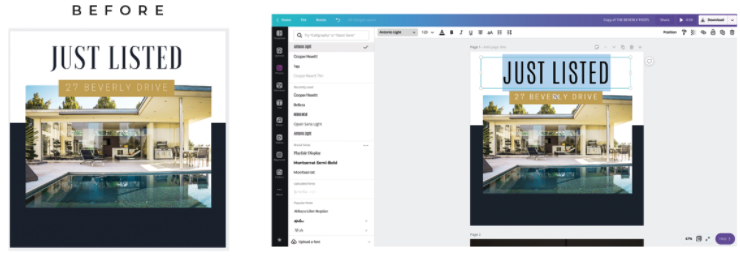
STEP ONE | CHANGE FONTS
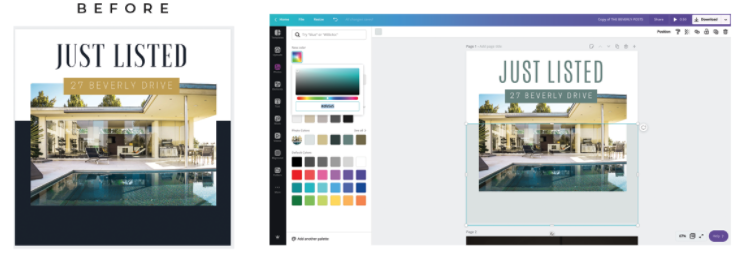
STEP TWO | CHOOSE COLOURS
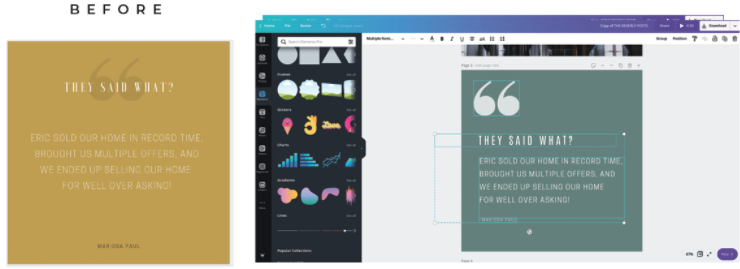
STEP THREE | MOVE AND CHANGE ELEMENTS
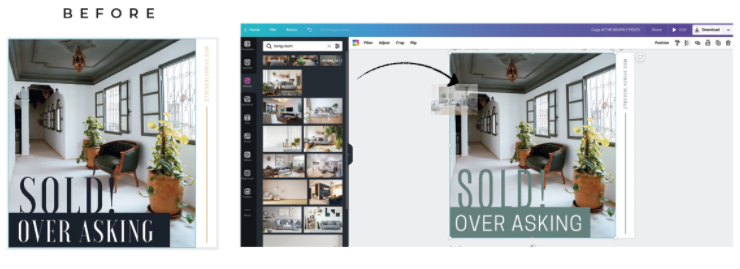
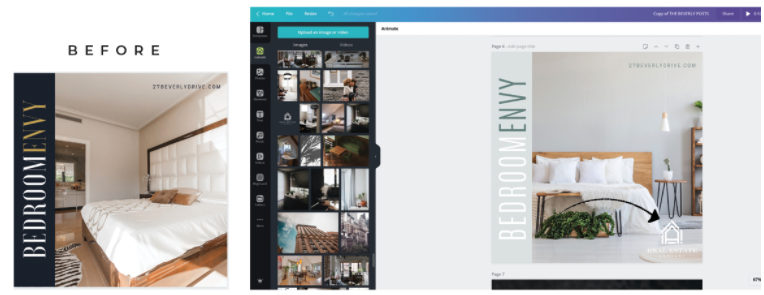
STEP FOUR | REPLACE PHOTOS
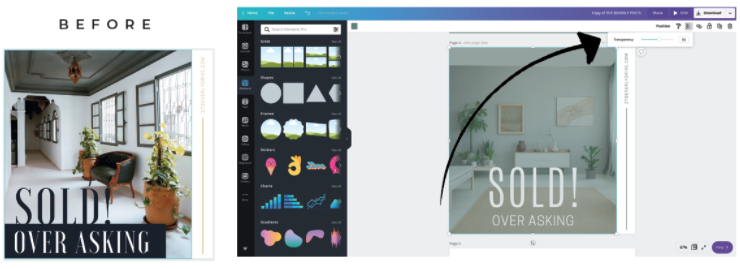
STEP FIVE | ADD OVERLAYS
You can add overlays to your design to make text stand out more, or to create an interesting visual effect. Head over to elements > square, then resize the square over your image and adjust transparency.
The done-for-you onboarding docs that make your clients feel taken care of from day one.
HURRY! Price goes up in:
behind the bLOG
Melanie Grey
@Themelaniegrey
For the past 14 years, I’ve been building a multi-six-figure business (mostly alone) and making approximately every mistake imaginable along the way. This space is where I’m sharing what I’ve learned — the pivots, the messes, the failures, and the stories behind all of it. If you’ve ever felt like you were doing it all wrong or doing it all alone, pull up a chair. I have a feeling you’ll like it here.







FIND ME HERE
@theMelanieGrey
If you’re into honest business advice, introvert-friendly marketing, and the occasional mildly unhinged creative rant...
you’ll love it here.
Instagram
FOLLow
Pinterest
ADD
Journal
READ
YouTube
WATCH